Thursday, 16 October 2014

Defined Preliminary Exercise


Defined Preliminary Exercise

Video
Preliminary exercise: Continuity task involving filming and editing a character opening a door, crossing a room and sitting down in a chair opposite another character, with whom she/he then exchanges a couple of lines of dialogue. This task should demonstrate match on action, shot/reverse shot and the 180-degree rule.

Main task: the titles and opening of a new fiction film, to last a maximum of two minutes.

All video and audio material must be original, produced by the candidate(s), with the exception of music or audio effects from a copyright-free source. Both preliminary and main tasks may be done individually or as a group. Maximum four members to a group.

Wednesday, 15 October 2014

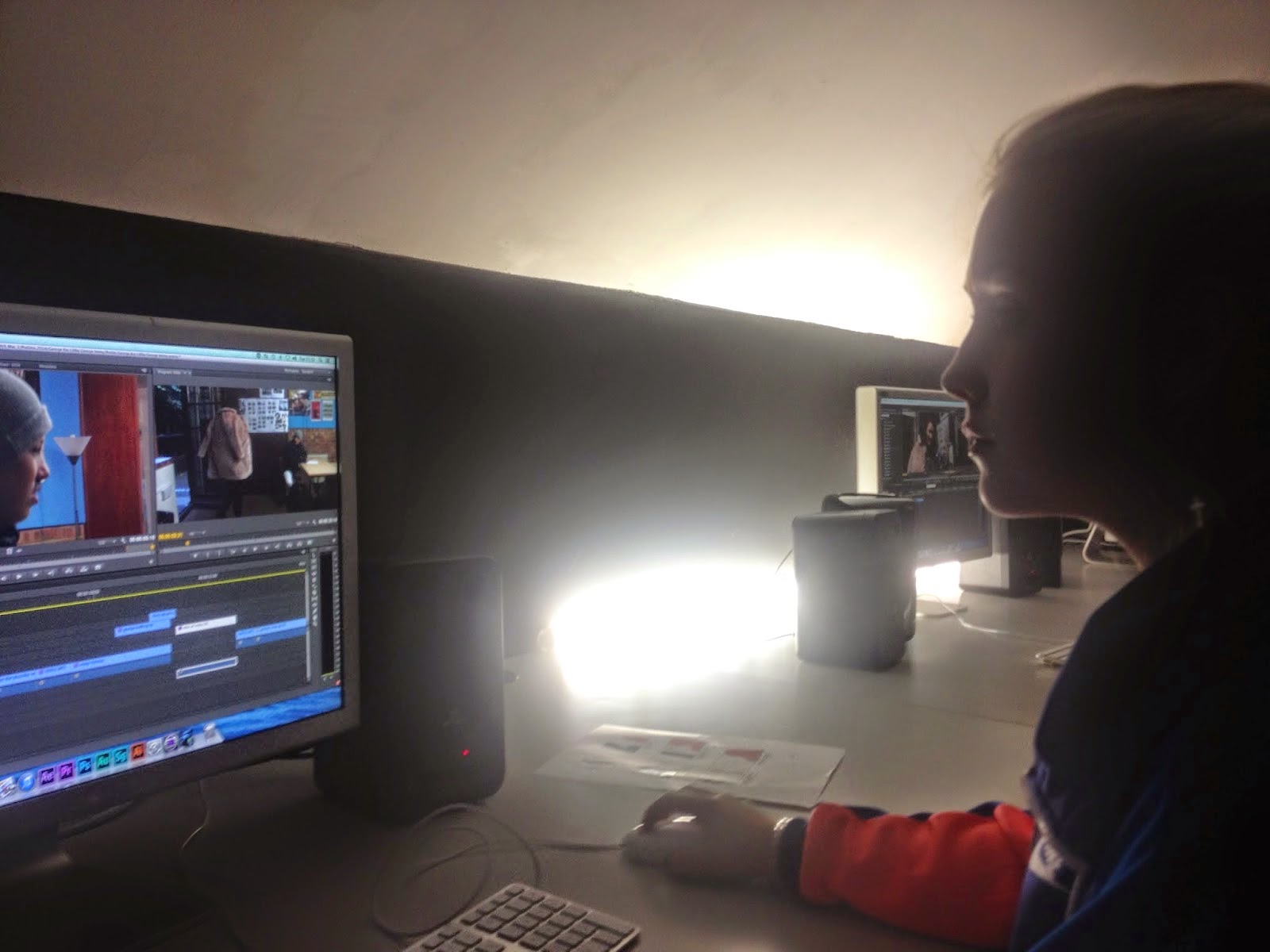
Editing Our Prelim Part 2!

Second Editing Session


This time around in the editing session was basically having a fresh look at last weeks work on our Prelim task. Immy and I realized that the clip was very fast, with no time to breath. The shots were so close together, with the actors moving so quickly we decided to leave that on as the original and have a second try at editing it.


We decided to suite her 'lovestruck theme' that we would change it to Black & White. This suited the script and etc.

Last time, editing part one, my partner and I were so close to finishing editing. But rushing would have been silly because then we would not get to understand Adobe Premiere as much. 


Through this spear time, looking through our work, we realized that looking over the sound and continuity would be a great way to use up our time. Any damaged flaw was taken away. This was hard considering some shots included different surroundings such as the door being open or the flower not in the boys hand. This made it a challenge, and we tried our best. 

To add to our 'sequence' at the end of the shots, we added a fading black picture to fade the story away. 

Later while learning that it is always great to be creative when editing, we made a song out of words used in the dialogue of the actors. This was humorous and witty. 

Tuesday, 14 October 2014

Editing Our Prelim Part One!

After filming last week, our groups were split up into a group of two and a group of three. Immy and I were to then to edit the short clips we filmed the week before. The software we used was Adobe Premier, a software were I thought the lay out was much more simple is essence than final cut pro.


 There were a few steps we used to get our editing process going, first we imported the files into Adobe Premiere by clicking the already imported MXF files, which is the format of the film in the camera. Next we were too create a file in the small box area were our clips opened in Premiere, this file was called a bin, it is so that everything is organized, making you editing process easier. I learned that not only are you supposed to put your files all in a Bin which we called Rushes, but also make a file called the Log Bin which is the place where you put your good clips in, the ones that are going in your final work. It makes it much neater to edit when using a Log Bin. 


During you editing it is so important that you just keep saving your work, because randomly the compute could just cut out and all your work would be lost. A control that can make your saving much easier rather than using File and the save, you can just press Command S on the apple computer which will automatically save your work. 

When finally picking the best clips that will be best to edit, I watched them over and over in order to see which part was the perfect one for the sequence in the scene, it is very much like a jigsaw puzzle, you must always remember continuity. If the shot before does not add up, for example then sound or is a door is open in the last shot but i the new one it is shut, it can effect your editing and can capture the eyes of the audience watching rather than watching the actual short film. 

When selecting the moments that I wanted to put in the film, I would watch it, then when it came along press Command I, which means the start of what you want to drag down, and the Command O to have the complete short clip you want for the drag down board. 

Sound bridges were also very important in a part of the sequence. We used a clip with our main character speaking , then placed another clip on top of it, muting that one. This means that you can still hear the character speaking over the new clip, they are in sync. 


Sunday, 5 October 2014

Opening Sequence of Sexy Beast (overview)

The opening sound in this scene is just the noise of crickets, which always refers to a hot location. The opening shot of the beaming sun ties in with the sound here. The shot stays for a while, meanwhile the main character, Ray Winston (Actor), his voice starts to speak over the shot. We immediately know that it is train of though we can hear. The fact that he is consistently talking about how 'boiling' and 'roasting' he feels, because it is said over the sun, crickets chirping, you instantly feel as an audience the sticky warmth that the main character is feeling. 


The next shot of him laying on the deck char has great colours. As he is just so brown with his tan line visible, the light cream floor and white deck chair just give this vibe as if he is a piece of meat being grilled. The oil next to him, along with beer bottles let the audience know that not only has he been there for a while he has had three beers as well. 


During the dialogue with the pool boy, the rule of thirds is used here, the main subject (Winston) is sat on the rule of thirds line, this gives the shot good composition. 


The shots of the women in the car right after show his house, which indicates that she is on her way there...


The music, Peaches by The Stranglers, adds to the theme of the film, its cheeky and sexy. 


Saturday, 4 October 2014

Opening Sequence of the Shining (overview)


Stanley Kubrick

This opening sequence is long, but yet Kubrick s creation of it is genius. The long non stopping shots keep you on age as the camera swoops down into all different angles. You immediate reaction as an audience is to believe that something is soon going to happen, as the opening sequence to this fantastic film is very long. You instantly believe that the main characters are going to be introduced. One of the main details that makes this apparent is the small bright yellow beetle driving along the road. The camera swoops down right next to car, with meeting the main characters, the audience believes this will put them more at ease, which is not happening because of the Horror Styled classical music in the background.


Friday, 3 October 2014

My Favourite Scene Presentation


I choose for my favorite scene from Clockwork Orange.I do prefer the scene that involves the most violence,with the brutal rape scene, but it was too explicit for my class.This scene is also very important in my eyes in Stanley Kubrick's, genius, clockwork orange. The music creates a dance atmosphere in the fight scene. There is so many things I like about it, which is all included in my presentation. 


Wednesday, 1 October 2014

Our Prelim Project, Filming

The start of our prelim project was interesting. I was gave the role of the director or I choose the role of the director. I like to be in control and know what is all going on when it comes to filming a sequence. 

  • Libby (Camera Man)
  • Imogen (Actor)
  • Georgina (Actor)
  • George (Actor)
  • Kai (Director)

Libby and I, as we were behind the camera and in charge of keeping the camera at the right shots and getting everything we needed to get. We found it was difficult to get our filming 'monologues' as you could call that, but we soon knew our roles and what we needed to say, which I will discuss further down. It was hard with the actors at times because of the weather outside. When we as a group got a shot wrong, or lines were forgotten the actor found it hard to got outside again. But this I suppose is something that is normal to occur.

Our idea was mostly to have the actress (Imogen) come in and devote her love to the person in the room (Georgina). It was easy on dialogue so it was not so difficult to shoot every shot the whole way through every time. 

With every shot we were needing to capture, instead of just getting a small clip of every shot that we needed, we filmed the whole scene every time for each angle. This made so much more sense when you needed to see that angle multiple time during the whole sequence, meaning you would have it in one time. This will make the next part of the process, the editing much easier for us, this will help the clips run much more smoothly together. 

During this lesson I also learned some new sayings to actually help the whole filming process:


Stand by : the director is asking everyone if they are ready to shoot, if the whole set are ready for the word go.

Standing by: This notifies the director that everyone is ready to start shooting

Roll Camera: The director gives the instruction that they camera has to start recording with his/her knowledge that everyone is ready to film the scene.

Camera Rolling: This means the Camera Man/Woman has pressed the recording button for the take to begin. 

Action: The director calls this out when he knows the camera is rolling, this alerts everyone that is working on the scene that they can begin. Also alerts everyone to be quiet. 


The Sequence Plan ...


We changed the total dialogue of the scene. This was slightly dangerous because it could confuse us when it came to keeping the new shots. There was closeup shots, were at times were difficult  with the actors sometimes getting there heads cut or possibly being covered by the other one, or just moving themselves out of shot. 


Pictures of the day :